InformacjeRegulaminPrywatnośćKontakt
 
Aktualizowanie
KeePassium (KeePass passwords)

KeePassium (KeePass passwords)

Opublikowany: 2019-08-18
© 2023 KeePassium Labs
KeePassium (KeePass passwords) - QR Code
Wersja 1.48
4+
Pobierz w App Store
Wersja 1.48
4+
Pobierz w App Store
Opublikowany: 2019-08-18
© 2023 KeePassium Labs

iPhone Screenshots

Obrazek
Obrazek
Obrazek
Obrazek
Obrazek
Obrazek
Obrazek
Obrazek
Obrazek

iPad Screenshots

Obrazek
Obrazek
Obrazek
Obrazek
Obrazek
Obrazek
Obrazek

Opis

KeePassium keeps your passwords safe. It delivers the security of KeePass with a clean, easy to use interface.
MAIN FEATURES
• Automatic sync — keep your database in your favorite cloud or offline.
• Password AutoFill — login to any service in a few taps.
• Touch ID / Face ID — save your time.
• YubiKey support — protect your data with a hardware key.
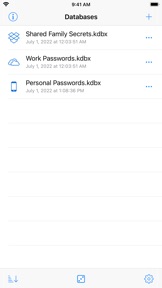
• Multiple databases — to share passwords with your team or family.
• Attached files — passport scans and server keys, always with you.
• Peace of mind — feel free to check our source code, it's open.
ANTI-FEATURES
• No in-app browser
• No VNC/SSH viewer
• No coffee maker
• No analytics
• No ads
AUTOMATIC SYNC
KeePassium can work both offline and with your favorite cloud provider.
There is no setup: pick your database through the familiar Files interface — and that's it. By integrating with the Files app, KeePassium supports almost all storage providers, including:
• iCloud Drive
• OneDrive
• Dropbox
• Box
• pCloud
• Google Drive
• NextCloud (with hiccups)
• WebDAV and SFTP (via a third-party app)
• ...and more!
Should a password manager have full access to your corporate file server? Of course not! All the networking is automatically performed by the original storage provider app. This way, KeePassium knows only about few specific databases, not your whole server.
WHAT ELSE CAN IT DO?
• Read and write all database formats (kdb, kdbx3, kdbx4 — including Argon2/ChaCha20)
• View time-based one-time passwords (TOTP)
• View deleted groups and entries (Recycle Bin)
• View previous revisions of an entry
• View and edit custom fields
• View custom icons
• And more! See for yourself, it's free.
PRIVACY
This app does not collect any personal data. We sell the app, not its users.
COMMERCIAL AND OPEN
KeePassium is a commercial open source app. Here, "open source" is the transparency you need from a password manager. The "commercial" part, in turn, gives you:
• Clean well-polished interface
• Responsive support that cares
• Future updates and improvements
Talk to us at info@keepassium.com, /r/KeePassium on Reddit, @KeePassium on Twitter and GitHub.
* Premium version is available as an in-app purchase, either as a subscription or a one-time payment.
* Payment will be charged to your Apple ID account at the confirmation of (in-app) purchase. Subscription automatically renews unless it is canceled at least 24 hours before the end of the current period. Your account will be charged for renewal within 24 hours prior to the end of the current period.
* You can manage and cancel your subscriptions by going to your account settings on the App Store after purchase.
* Privacy policy: https://keepassium.com/privacy/app
* Terms of use: https://keepassium.com/terms/app

Co nowego w tej wersji? (1.48)

• Added: Drag and drop attachments to other apps
• Added: Possibility to disable/allow search, password audit and AutoFill for specific groups and entries
• Improved: Tapping on password quality icon will show its meaning [thanks, everyone]
• Improved: Entry viewer shows entry's internal UUID that can be used for field references.
• Improved: Updated translations [thanks, everyone]

Sprzedawca

Tytuł

KeePassium Labs

Informacje

Programista

Kategorie

Wersja

1.48

Wielkość

26,5 MB

Game Center

Nie

VPP Device Licensing

Tak

Oceny

Wiek: 4+

Kompatybilność

iOS 15.4 lub nowszy

Urządzenia

iPhone 5s, iPhone 6, iPhone 6 Plus, iPhone 6s, iPhone 6s Plus, iPhone SE, iPhone 7, iPhone 7 Plus, iPhone 8, iPhone 8 Plus, iPhone X, iPhone XR, iPhone XS, iPhone XS Max, iPhone 11, iPhone 11 Pro, iPhone 11 Pro Max, iPhone SE (2. generacji), iPhone 12, iPhone 12 Pro, iPhone 12 Pro Max, iPhone 12 mini, iPhone 13, iPhone 13 Pro, iPhone 13 Pro Max, iPhone 13 mini, iPhone SE (3. generacji), iPhone 14, iPhone 14 Plus, iPhone 14 Pro, iPhone 14 Pro Max, iPhone 15, iPhone 15 Plus, iPhone 15 Pro, iPhone 15 Pro Max, iPad (5. generacji) Wi-Fi, iPad (5. generacji) Wi-Fi + Cellular, iPad (6. generacji) Wi-Fi, iPad (6. generacji) Wi-Fi + Cellular, iPad Pro, iPad Pro (Cellular), iPad Pro (9,7-calowy), iPad Pro (9,7-calowy) (Cellular), iPad Pro 12,9 cala (2. generacji), iPad Pro 12,9 cala (2. generacji) Wi-Fi + Cellular, iPad Pro (10,5 cala), iPad Pro (10,5 cala) Wi-Fi + Cellular, iPad Pro (11 cala), iPad Pro (11 cala) Wi-Fi + Cellular, iPad Pro 12,9 cala (3. generacji), iPad Pro 12,9 cala (3. generacji) Wi-Fi + Cellular, iPad Air, iPad Air (Cellular), iPad Air 2, iPad Air 2 (Cellular), iPad Air (3. generacja), iPad Air (3. generacja) Wi-Fi + Cellular, iPad mini Retina, iPad mini Retina (Cellular), iPad mini 3, iPad mini 3 (Cellular), iPad mini 4, iPad mini 4 (Cellular), iPad mini (5. generacji), iPad mini (5. generacji) Wi-Fi + Cellular, iPad (7. generacji) Wi-Fi + Cellular, iPad Pro 11 cali (2. generacji), iPad Pro 11 cali (2. generacji) Wi-Fi + Cellular, iPad Pro 12,9 cala (4. generacji), iPad Pro 12,9 cala (4. generacji) Wi-Fi + Cellular, iPad Air (4. generacji) (Wi-Fi), iPad Air (4. generacji) (Wi-Fi + Cellular), iPad (8. generacji) Wi-Fi, iPad (8. generacji) Wi-Fi + Cellular, iPad Pro 11 cali (3. generacji), iPad Pro 11 cali (3. generacji) Wi-Fi + Cellular, iPad Pro 12,9 cala (5. generacji), iPad Pro 12,9 cala (5. generacji) Wi-Fi + Cellular, iPad (9. generacji), iPad (9. generacji) Wi-Fi + Cellular, iPad mini (6. generacji), iPad mini (6. generacji) Wi-Fi + Cellular, iPad Air (5. generacji), iPad Air (5. generacji) Wi-Fi + Cellular, iPad Pro 11 cali (4. generacji), iPad Pro 11 cali (4. generacji) Wi-Fi + Cellular, iPad Pro 12,9 cala (6. generacji), iPad Pro 12,9 cala (6. generacji) Wi-Fi + Cellular, iPad (10. generacji), iPad (10. generacji) Wi-Fi + Cellular, iPod touch (6. generacja), iPod touch (7. generacji)

Języki

polski, angielski, arabski, chiński, czeski, francuski, hiszpański, japoński, koreański, niderlandzki, niemiecki, portugalski, rosyjski, słowacki, szwedzki, tajski, turecki, ukraiński, włoski

App Store: Oceny

Oceny i recenzje

4,5 z 5 (90 oceny)

App Store: Opinie

2023-11-13

Good job

Great app! Fast, simple, transparent and easy to use.
d1n3kk
Wersja 1.46
2023-06-29

Most features are paywalled…

Features like YubiKey support are paywalled behind a subscription
Roki_100
Wersja 1.44
2023-02-10

Stay in control of your passwords

A password manager is a must. Period. However, with the hacks of LastPass in recent history, some doubt has been cast on a centralised database system like such. But you’re in luck!
KeePassium for mobile lets you handle KeePass2 and KeePassXC databases. These programs run locally and give you a locally encrypted database file that you can then sync between devices with, say, Overdrive, without having to trust a third party.
Both KeePassium and KeePassXC are open source and with these two you can essentially cover every platform you could possibly want to use (linux, mac, pc).
matgaj24
Wersja 1.40
2023-02-09

Great simple app, better macos integration than bitwarden

Great simple feature complete app, better macos integration than bitwarden :O who would know...
PiterDev
Wersja 1.40
2022-09-25

Отлично

Но нельзя удалить «убрать» старые копии файла. Добавленные из icloud/files и потом обновлённые через icloud/files файлы оставляют дубликаты записей
Anf139
Wersja 1.36
2022-09-03

This app changed my life

I feel I’ve never been safer surfing internet. Since using Keepass I really have comfort of being protected better than average users and my awerness around password safety has improved. Encourage all to start use this app!
brovvar
Wersja 1.35
2022-02-24

Must-have-app

Zmienia życie, na lepsze. Polecam.
KsPiotr
Wersja 1.30
2022-01-06

Fantastic

This app is fantastic!
Węgorz9
Wersja 1.30
2021-08-23

Best app for KeePass database.

Maybe a bit too pricey, but its best app for KeePass database.
Michał8
Wersja 1.24
2021-06-07

Been looking for MiniKeePass replacement...

And I think I found one. So far so good.
akolodk
Wersja 1.24
2021-05-20

Brak obsługi wielu baz

Pomimo informacji w opisie tej wersji, funkcja wielu baz jest obsługiwana w wersji premium.
KrzysioJ
Wersja 1.24
2021-02-02

Simple and powerful

Great KeePass client which supports opening databases with Touch ID instead of password
pavulonTM
Wersja 1.21
2020-05-29

Best app ever

In my opinion this is the best password manager I’ve ever used on iOS. They work quickly and smoothly. I will definitely buy the premium version. GREAT JOB!!!
xHardCookiex
Wersja 1.11
2020-05-14

Why only 3/5?

I got recently extremely annoyed that Keepassium doesn’t use the same databases in auto-fill as in an app. I downloaded it from MEGA and entered long password like 20 times before I got that the db in app is not the same as in auto-fill
gdybybułekbyarchewka
Wersja 1.11