Aktualizowanie


iPhone Screenshots




Opis
Use the UK ETA app to apply for an electronic travel authorisation (ETA) to come to the UK.
Who can apply
Find out if you need an ETA to travel to the UK at: https://www.gov.uk/electronic-travel-authorisation.
How to apply on the UK ETA app
1. Take a photo of your passport.
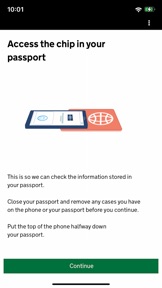
2. Scan the chip in your passport.
3. Scan your face.
4. Take a photo of yourself.
5. Answer some questions about yourself.
6. Pay for your application.
It should only take 10 minutes to apply.
You do not need to enter your travel details.
Before you start
To apply you will need:
• an iPhone 7 or newer with IOS 15 or later
• the passport you will use to travel to the UK
• a credit card, debit card or Apple Pay
• access to your emails
If you're applying for someone else they must be with you. If they are not, you should apply online at: https://www.gov.uk/electronic-travel-authorisation.
If you need to travel soon
You must apply for an ETA before you travel to the UK. You can travel to the UK while waiting for a decision.
After you apply
You'll usually get a decision within 3 working days, but you may get a quicker decision. Occasionally, it may take longer than 3 working days.
If your ETA is approved, we'll link this to the passport you applied with. You must use this passport to travel to the UK.
Privacy and security
The app is safe and secure. No information is stored on the app or your phone after you close it. You can delete the app after you have completed your application.
For information on staying safe online visit the UK Cyber Aware website: https://www.ncsc.gov.uk/cyberaware/home
Accessibility
You can read our accessibility statement at: https://confirm-your-identity.homeoffice.gov.uk/register/eta-app-accessibility
Co nowego w tej wersji? (2.0.653)
Performance improvements
Informacje
Programista
Kategorie
Wersja
2.0.653
Wielkość
219,1 MB
Game Center
Nie
VPP Device Licensing
Tak
Oceny
Wiek: 4+
Kompatybilność
iOS 15.0 lub nowszy
Urządzenia
iPhone 7, iPhone 7 Plus, iPhone 8, iPhone 8 Plus, iPhone X, iPhone XR, iPhone XS, iPhone XS Max, iPhone 11, iPhone 11 Pro, iPhone 11 Pro Max, iPhone SE (2. generacji), iPhone 12, iPhone 12 Pro, iPhone 12 Pro Max, iPhone 12 mini, iPhone 13, iPhone 13 Pro, iPhone 13 Pro Max, iPhone 13 mini, iPhone SE (3. generacji), iPhone 14, iPhone 14 Plus, iPhone 14 Pro, iPhone 14 Pro Max, iPhone 15, iPhone 15 Plus, iPhone 15 Pro, iPhone 15 Pro Max, iPhone 16, iPhone 16Plus, iPhone 16Pro, iPhone 16ProMax
Języki
angielski
App Store: Oceny
Oceny i recenzje
1,0 z 5 (1 ocena)
App Store: Opinie
Brak wpisu